
Last Updated: February 15, 2026
The Food Lion mobile app promises to simplify your grocery shopping with digital coupons, personalized rewards, and shopping lists. But does it actually deliver? After testing the app extensively and analyzing hundreds of user reviews, here’s everything you need to know before downloading.
Quick Verdict
Best For: Regular Food Lion shoppers who want to maximize savings with Shop & Earn rewards and digital coupons
Skip If: You need reliable Face ID login, rarely clip coupons, or prefer competitor apps with better functionality
Rating: 2.8/5 stars (Google Play) | 3.2/5 stars (App Store)
What the Food Lion App Actually Does
The Food Lion app combines several functions that used to be spread across multiple apps. Here’s what you can do:
| Feature | What It Does | Works Well? |
|---|---|---|
| Digital MVP Card | Scan barcode at checkout instead of physical card | ✅ |
| Digital Coupons | Clip coupons that auto-apply at checkout | ⚠️ |
| Shop & Earn Rewards | Get personalized monthly cashback offers | ✅ |
| Shopping Lists | Create and organize your grocery list | ❌ |
| Online Ordering | Order for pickup or delivery | ⚠️ |
| Recipe Finder | Search recipes and add ingredients to list | ✅ |
Shop & Earn: The App’s Best Feature
Shop & Earn is Food Lion’s personalized rewards program, and it’s honestly the main reason to use this app. Here’s how it works:
How Shop & Earn Works
- Activate offers monthly: Log in on the 1st of each month to see your personalized deals
- Shop normally: Buy qualifying items throughout the month (track progress in the app)
- Earn rewards automatically: When you hit spending goals, rewards load to your MVP card
- Redeem next trip: Savings auto-apply on your next purchase
Example: You might get an offer like “Spend $15 in the Dairy Department, earn $3 off your next purchase.” Hit that goal during the month, and $3 automatically comes off your next shopping trip.
Rewards expire at the end of the following month, giving you 30 to 60 days to use them. You can also donate rewards to charity through the app, which is a nice touch.
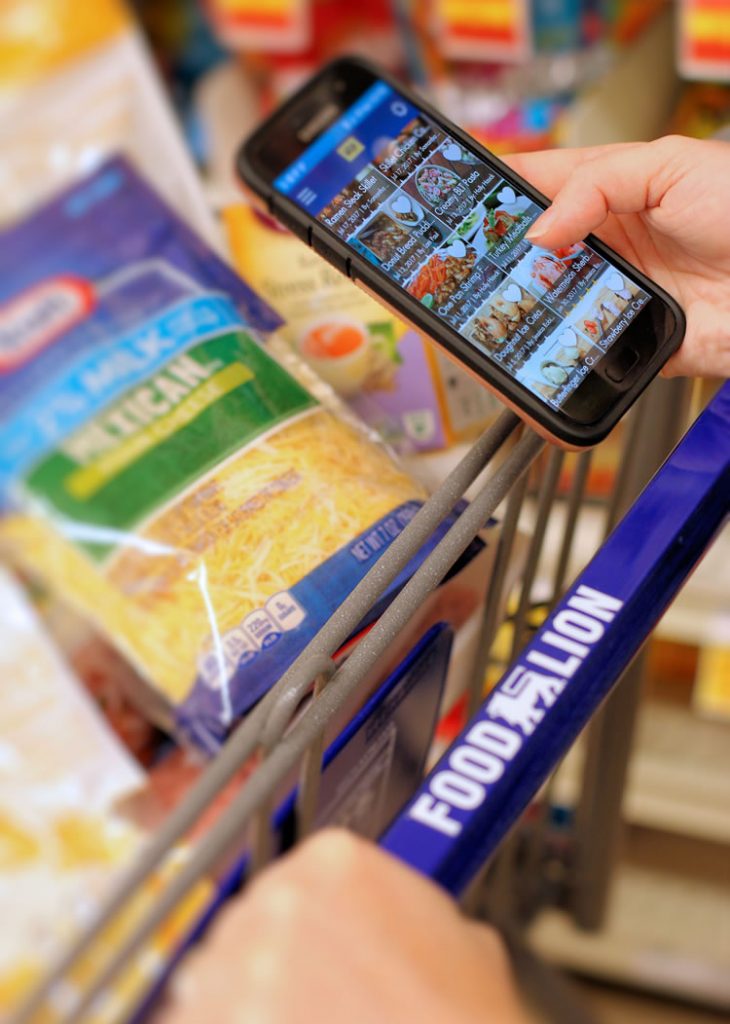
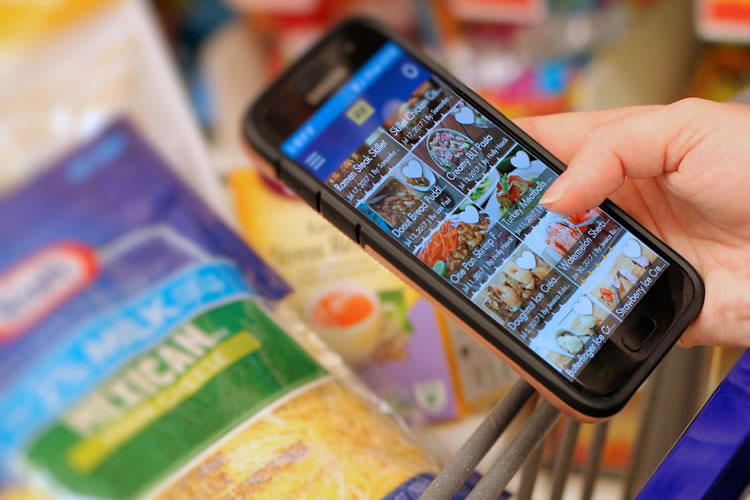
The Recipe Finder helps you discover new meal ideas and add ingredients directly to your shopping list
Digital Coupons: Great Concept, Frustrating Reality
Digital coupons should be simple: browse, clip, save at checkout. Food Lion’s implementation has issues.
The Captcha Problem
Many users report aggressive security captchas that appear when clipping coupons too quickly. The system thinks you’re a bot and blocks you temporarily, even though you’re just trying to save money efficiently. This is by far the most common complaint in 2025-2026 reviews.
What Works:
- Coupons automatically apply when you scan your MVP card at checkout
- You can search for coupons by keyword or category
- Weekly ad deals are clearly displayed
- No more forgetting physical coupons at home
What Doesn’t Work:
- Security captchas interrupt coupon clipping frequently
- Coupons sometimes fail to load to your account
- Weekly ad updates are often delayed by several days
The Biggest Problems (And How to Fix Them)
1. Constant Login Requirements
The Problem: The app logs you out constantly and doesn’t support Face ID or fingerprint login. You have to manually type your password every single time.
The Workaround: Use a password manager like 1Password or LastPass to auto-fill your credentials. It’s not ideal, but it saves time.
2. Shopping List Crashes and Resets
The Problem: The shopping list feature frequently crashes, especially when you navigate away and come back. Items you’ve deleted reappear, and checked items don’t stay marked.
The Workaround: Create your list in one session without navigating away. Better yet, use your phone’s Notes app and just reference it while clipping relevant coupons in the Food Lion app.
3. Poor Search Functionality
The Problem: If you search for “queso,” the app won’t show cheese dip products unless they’re literally labeled “queso.” The search requires exact matches.
The Workaround: Use broader search terms or browse by category instead of relying on search.
4. Online Order Delays
The Problem: Chat notifications for out-of-stock items during pickup orders arrive too late to discuss substitutions. Prices often lag behind in-store updates.
The Workaround: Add notes about acceptable substitutes when placing your order. Check your local store’s ad before ordering online.
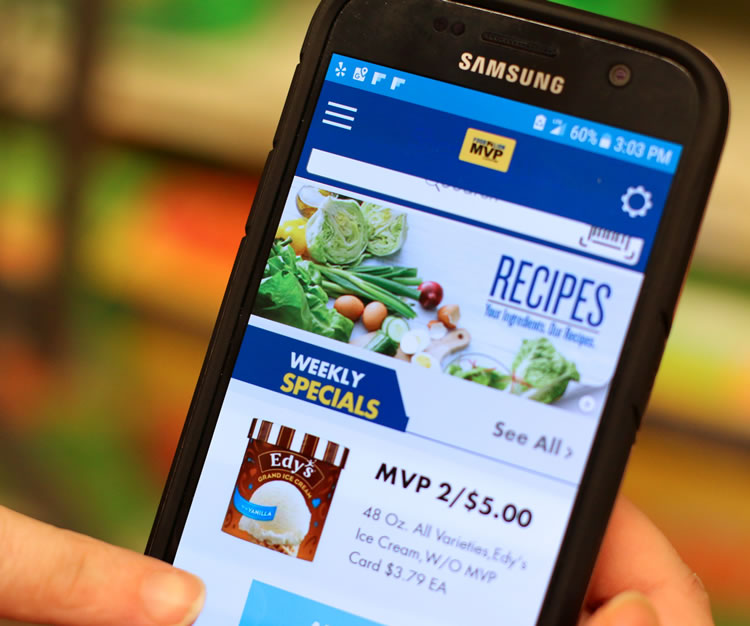
Browse hundreds of recipes filtered by ingredient, meal type, or dietary preference
How Food Lion Compares to Competitor Apps
| Store | App Rating | Best Feature | Biggest Issue |
|---|---|---|---|
| Food Lion | 2.8/5 | Shop & Earn rewards | Constant login required |
| Kroger | 4.1/5 | Fuel points system | Occasional glitches |
| Walmart | 4.3/5 | Store navigation | Fewer exclusive deals |
| Harris Teeter | 3.9/5 | e-Vic rewards | Limited locations |
Bottom Line: Food Lion’s app lags behind competitors in user experience but offers comparable or better rewards potential through Shop & Earn.
Is Food Lion Cheaper Than the Competition?
Price matters more than app quality for most shoppers. According to USDA Economic Research Service data, here’s what recent price comparisons show:
- vs. Walmart: Walmart is about 13% cheaper overall, but Food Lion’s Shop & Earn rewards can close that gap significantly for regular shoppers
- vs. Kroger: Nearly identical pricing (less than 1% difference), so it comes down to location and preference
- vs. ALDI: ALDI is substantially cheaper (around 36% below average grocery prices), but with limited selection
- vs. Harris Teeter: Food Lion is about 9% cheaper, though Harris Teeter rates higher on quality
Money-Saving Strategy
Maximize savings by combining weekly sales + digital coupons + Shop & Earn rewards. Users report saving $20 to $30 per month just by activating Shop & Earn offers, even without changing shopping habits. For more ways to stretch your grocery budget, check out our healthy snack ideas and seasonal shopping tips.
Recipe Finder: Actually Useful (And My Favorite Feature)
One feature that consistently works well is the Recipe Finder, and honestly, this is one of my favorite things about the app. When I’m stuck on what to make for dinner, I can just open the app and find tons of awesome recipe ideas. You can:
- Search recipes by ingredient (great for using what you already have)
- Filter by meal type, dietary restrictions, or cooking time
- Add recipe ingredients directly to your shopping list with one tap
- Save favorite recipes for later
- Get inspired with everything from weeknight dinners to holiday party ideas
The recipe database is extensive and includes everything from quick weeknight dinners to holiday meals. It’s so simple – just scan the barcode or type in your ingredient and Food Lion will give you meal ideas that are delicious, easy and affordable. This feature alone makes the app worth keeping on your phone.
In fact, I used the Recipe Finder to create these Chinese chicken lettuce wraps using ingredients that were on sale in the app. The savings added up quickly, and the recipe turned out amazing!
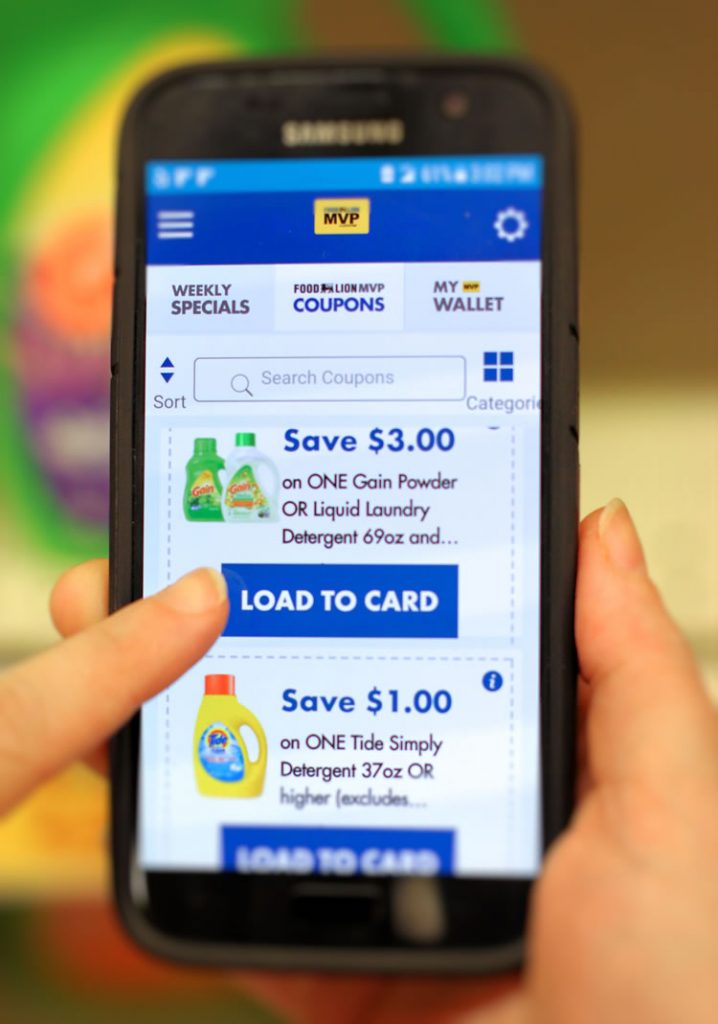
Browse and clip digital coupons by category, then scan your MVP card at checkout for automatic savings
Never Forget Your MVP Card Again
I can’t even count the number of times I’ve forgotten my MVP card at home or left it in another purse. With Food Lion’s app, that’s no longer a problem. Maybe you lost your MVP card or left it in the car? No worries! Now you can always have your MVP card on hand at checkout as long as you have your phone. The cashier can scan it right from your smartphone screen, and all your coupons and savings automatically apply. It’s one of those simple conveniences that actually makes a difference.
What Users Are Saying in 2026
The Good
- “Shop & Earn rewards actually add up. I save $20-30 a month without changing how I shop.”
- “Having my MVP card on my phone means I never forget it at home.”
- “Recipe finder has great ideas when I need dinner inspiration.”
- “Digital coupons beat clipping paper coupons any day.”
The Bad
- “Why do I have to log in every single time? Just add Face ID already.”
- “The security captcha when clipping coupons is absurd. I’m not a bot, I just want to save money.”
- “Shopping list crashes constantly and loses my items.”
- “Search function is terrible. Can’t find products unless I know the exact name.”
Final Verdict: Should You Download It?
Download the Food Lion app if:
- You regularly shop at Food Lion (at least twice a month)
- You’re willing to deal with login hassles for genuine savings
- You want personalized cashback through Shop & Earn
- You need recipe inspiration and meal planning help
- You frequently forget your physical MVP card
See also

Skip the Food Lion app if:
- You shop at Food Lion only occasionally
- Convenience and user experience matter more than savings
- You prefer stores with better-rated apps (Kroger, Walmart, Target)
- You don’t have patience for technical glitches
Pro Tips for Better App Experience
- Activate Shop & Earn offers on the 1st of every month (set a phone reminder)
- Clip coupons slowly to avoid triggering security captchas
- Use a password manager for faster login
- Create shopping lists in one session without navigating away
- Check both the app and in-store for best prices (they sometimes differ)
- Track your Shop & Earn progress weekly to ensure purchases are counting
- Use the Recipe Finder for party planning and weekly meal inspiration
How to Download the Food Lion App
The Food Lion app is free on both iOS and Android:
You’ll need to create a free MVP account or link your existing MVP card to access all features. Setting up takes just a few minutes, and you’ll be on your way to making shopping lists, collecting digital coupons, and saving money.
Frequently Asked Questions
Does the Food Lion app cost money?
No, the app is completely free to download and use. You just need a free MVP card account.
Why won’t my Food Lion app stay logged in?
This is a known issue with no current fix from Food Lion. The app logs users out for security reasons and doesn’t support biometric login. Use a password manager to make login faster.
How do I fix the captcha problem when clipping coupons?
Slow down your coupon clipping. The security system triggers when it detects rapid clicking. Take 2-3 seconds between each coupon clip. .
Can I order groceries for pickup through the app?
Yes, if your local Food Lion offers pickup service. As of January 2026, Food Lion has expanded their Food Lion To Go service to additional locations across their 10-state footprint. Search times and substitution communication can be delayed based on user feedback.
Do Shop & Earn rewards expire?
Yes. You must earn rewards within the calendar month, and they expire at the end of the following month. That gives you 30 to 60 days total to use them.
Can I use Food Lion digital coupons with paper coupons?
Check your store’s policy, but generally yes. Digital coupons load to your MVP card, and you can typically stack manufacturer paper coupons on sale items for even bigger savings.
What’s the difference between the Food Lion app and Food Lion To Go?
Food Lion consolidated these into one app. The main Food Lion app now handles everything: digital coupons, MVP card, shopping lists, recipes, AND online ordering for pickup or delivery.
Alternatives Worth Considering
If the Food Lion app doesn’t meet your needs, these grocery apps rank higher:
- Kroger (4.1/5): Similar rewards program with fuel points, better app functionality
- Walmart (4.3/5): Superior user experience, store maps, wider selection
- Target (4.5/5): Excellent app, Circle rewards, drive-up service
- ALDI: No app needed, lowest prices overall
For more regional shopping options, explore our guides to food experiences around Atlanta and Richmond, Virginia.
The Bottom Line
The Food Lion app is a mixed bag. Shop & Earn rewards provide real value for regular shoppers, potentially saving $20 to $30 monthly. The Recipe Finder works well and honestly provides great meal inspiration when I’m stuck on what to make for dinner. Having your MVP card digitally is incredibly convenient, especially for those of us who constantly forget the physical card at home.
However, constant login requirements, aggressive security captchas, shopping list crashes, and poor search functionality make the experience frustrating. The app clearly needs modernization, particularly adding Face ID support and fixing the captcha system that treats legitimate users like potential fraudsters.
Worth it? If you shop at Food Lion regularly and prioritize savings over convenience, yes. The rewards justify the hassle, and features like the Recipe Finder and digital MVP card genuinely make shopping easier. But if you value smooth user experience and have other grocery options nearby, competitors offer better apps with comparable savings.
The app earns a 2.8 out of 5 stars, which accurately reflects its current state: functional enough to use, frustrating enough to complain about, and valuable enough to keep despite the issues. For shoppers willing to work around the technical problems, the savings potential is real.
Have you used the Food Lion app? Share your experience and money-saving tips in the comments below. And if you’re looking for more ways to save money on groceries and everyday expenses, check out our other money-saving guides.
Better Living uses affiliate links. If you make a purchase through them, we may receive a small commission (for which we are deeply grateful) at no cost to you.